
Three options to configure:
I. Configure WiFi automatically
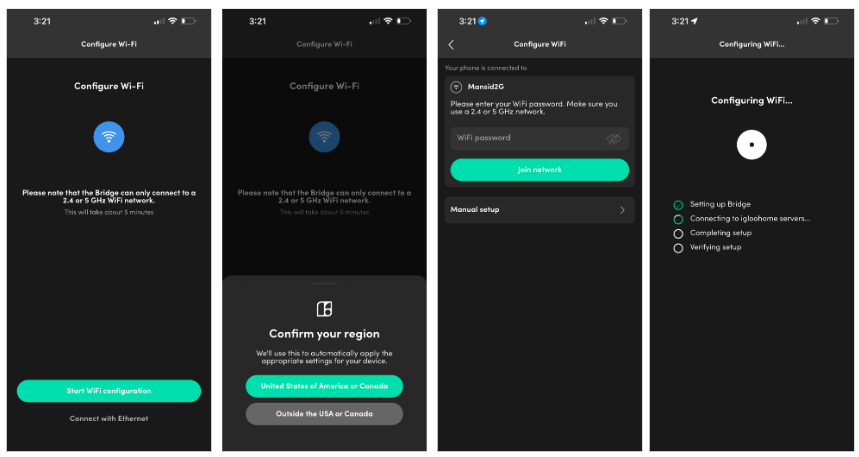
If your phone is connected to WiFi, the app applies that network to the Bridge automatically. Just tap Join Network. If it takes longer than a minute, tap Retry and it will continue from where it left off.
II. Configure WiFi manually
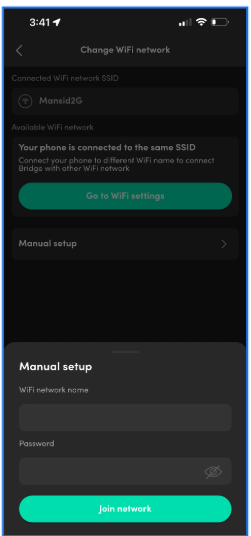
To enter your WiFi name and password yourself, open the Bridge’s diagnostics page and choose Change WiFi Network. Check that the network name and password are correct, then tap to join.
III.
Connect over Ethernet (Network Adapter)
With the Network Adapter, there are no network settings to configure.
Connect the Ethernet cable before powering the Bridge
. If you add the cable later, power-cycle the Bridge so it picks up the wired connection.