
Running diagnostics in the app shows how the Bridge is connected, its WiFi signal, and the status of each linked lock. Run it any time to refresh the results.
In the app, you can choose to connect to both Ethernet and WiFi
1. If both are set up successfully, by default, it will show the Ethernet connection
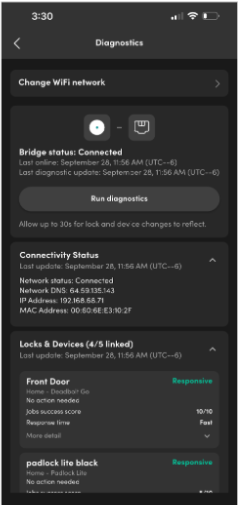
2. If the Ethernet cable is disconnected, Bridge 2 will fall back to a WiFi connection automatically, without being disconnected.
Wait for 30 secs after disconnecting, run the diagnostics; the icon will show the WiFi connection instead (left ss above)
After the Ethernet cable is reconnected, wait for 30 secs and run diagnostics; the icon will show the Ethernet connection again
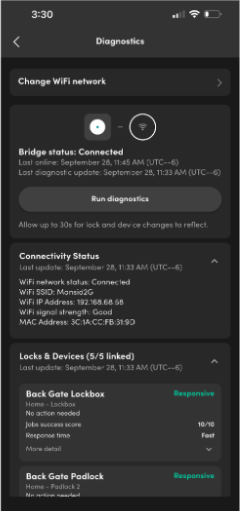
Note: We recommend setting up the WiFi if the network adapter is being used.